 OPEN
OPENProjects and folders
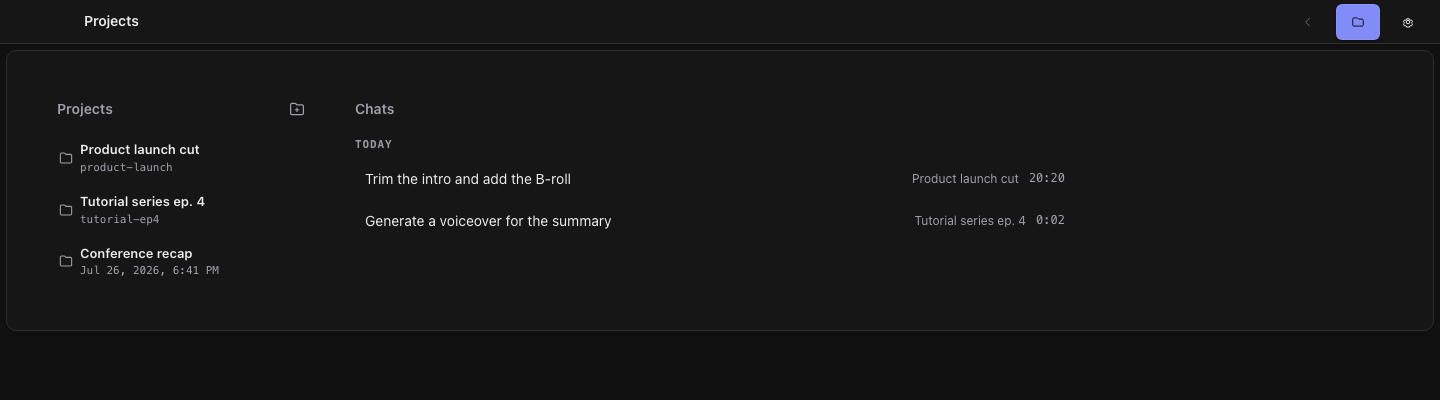
A project is a folder you choose. Media, chat history, and generated results are written inside it.
OpenScene has no project database and no hidden library. You point it at a folder, and that folder is the project. Assets you import are copied into it, agent conversations are stored in it, and finished generations land in it.
Opening and removing projects
- Open a folder from the start page to register it as a project and enter the workspace
- Recent projects stay listed so you can return without browsing for the folder again
- Removing a project only unregisters it — the folder you chose is never deleted recursively
What is written inside a project
| Contents | Notes |
|---|---|
| Imported media | Copied into the project folder so the timeline does not depend on files elsewhere on disk |
| Timeline state | Saved with the project; undo and redo operate within a session |
| Agent conversations | Stored as a path-free chats.json, kept per project as switchable sessions |
| Generated results | Voice and video jobs import into the open project as assets |
Because a project is an ordinary folder, backing it up, moving it to another machine, or putting it in version control is your decision and needs nothing from OpenScene.